Cloud security has become a recurring requirement in almost every Security Operations Center (SOC) job role. Whether the role focuses on threat detection, incident response, vulnerability management, or cloud monitoring, one thing is consistent—security analysts are increasingly expected to understand how cloud environments are built and secured.
After researching the responsibilities of SOC analysts and reviewing guidance from experienced professionals, I realised something important. My goal wasn't to master every AWS service or design enterprise-scale cloud infrastructure. Instead, I needed to understand the cloud services that security teams interact with every day and develop the ability to investigate, secure, and assess them from a defender's perspective.
That realisation shaped this project.
Rather than building a large AWS environment, I focused on creating a small but realistic deployment that would help me understand how networking, compute, and access controls work together. More importantly, I wanted to understand how each configuration decision affected the security posture of the environment.
This case study documents that journey—from planning the infrastructure and deploying the environment to troubleshooting connectivity issues and reflecting on the security decisions made along the way.
Project Objective
The objective of this project was to build a secure AWS environment that introduced the cloud concepts most relevant to a Security Analyst.
Instead of focusing on cloud engineering topics such as Auto Scaling, Load Balancers, or Infrastructure as Code, I concentrated on the security fundamentals that appear repeatedly during investigations and cloud security assessments:
Amazon EC2
Virtual Private Cloud (VPC)
Public and Private Subnets
Internet Gateway
Route Tables
Security Groups
SSH Authentication
Linux Server Management
Nginx Web Server
These services form the foundation for understanding how cloud workloads are deployed and secured before moving on to identity management, logging, and monitoring services such as IAM, CloudTrail, and CloudWatch.
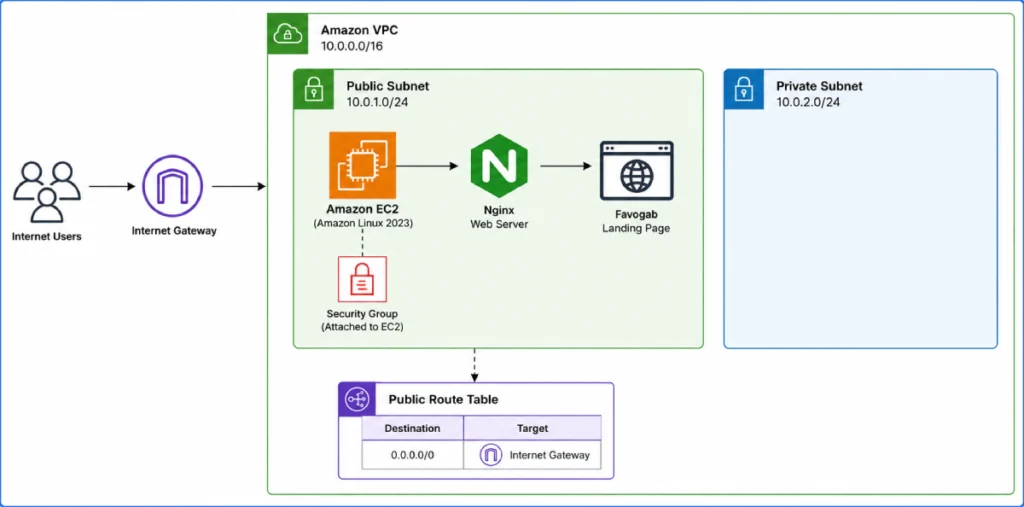
Screenshot: AWS Architecture Overview
Building the Environment
I deliberately chose not to rely on AWS's default networking configuration because I wanted to understand what was happening behind the scenes.
The first step was creating a custom Virtual Private Cloud (VPC), followed by separate public and private subnets. Although only the public subnet was required for this project, creating both helped me understand how AWS separates Internet-facing resources from internal systems.
Next, I attached an Internet Gateway and configured a dedicated route table that directed Internet traffic to the public subnet. This was one of the moments where AWS networking started to make sense. I realised that simply assigning a public IP address to an EC2 instance isn't enough—routing also has to be configured correctly before traffic can flow.
Once the networking was complete, I launched an Amazon Linux EC2 instance inside the public subnet.
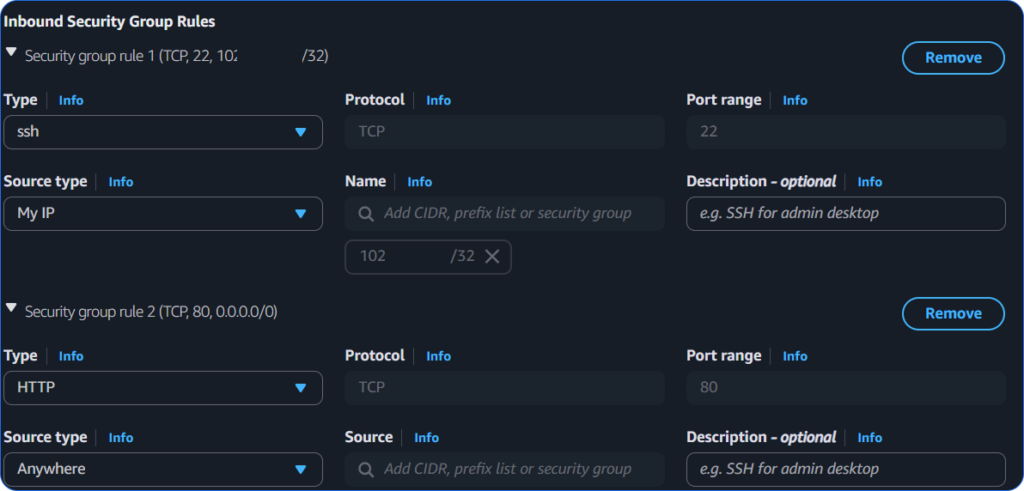
Rather than exposing every service, I configured the Security Group with only two inbound rules:
SSH (TCP 22) restricted to My IP
HTTP (TCP 80) open to the public for the web server
This was a simple but important reminder that security starts with reducing unnecessary exposure. Administrative access should only be available to trusted users, while public access should be limited to services that genuinely need it.
Screenshot: Security Group Inbound Rules.
The Challenge
The most valuable part of this project wasn't creating the infrastructure—it was troubleshooting it.
After deploying the EC2 instance, I attempted to connect using EC2 Instance Connect. Everything appeared to be configured correctly, but the connection repeatedly failed.
Instead of deleting the instance and starting over, I approached the issue the same way I would approach an investigation.
I reviewed the VPC configuration, checked the subnet associations, confirmed the Internet Gateway attachment, verified the route table, and inspected the Security Group rules to ensure SSH access was correctly restricted to my IP address.
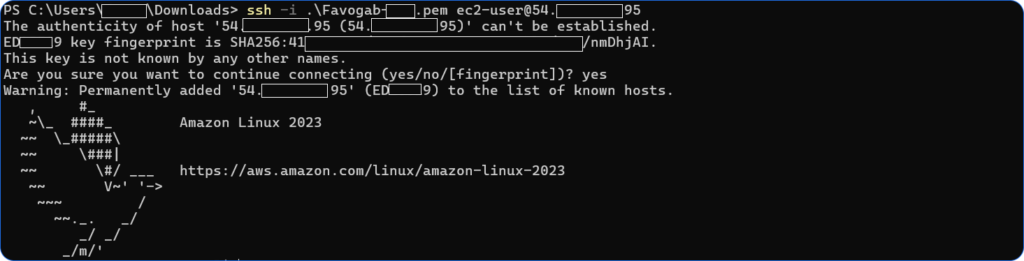
After eliminating each possible networking issue, I switched to connecting with SSH using the AWS key pair.
The connection succeeded immediately.
Although EC2 Instance Connect never worked during this lab, the experience reinforced an important lesson that applies well beyond AWS:
Good troubleshooting is about eliminating possibilities, not guessing.
The problem wasn't the infrastructure—it was the connection method.
That experience was far more valuable than if everything had worked perfectly the first time.
Screenshot: Successful SSH session.
Deploying the Web Server
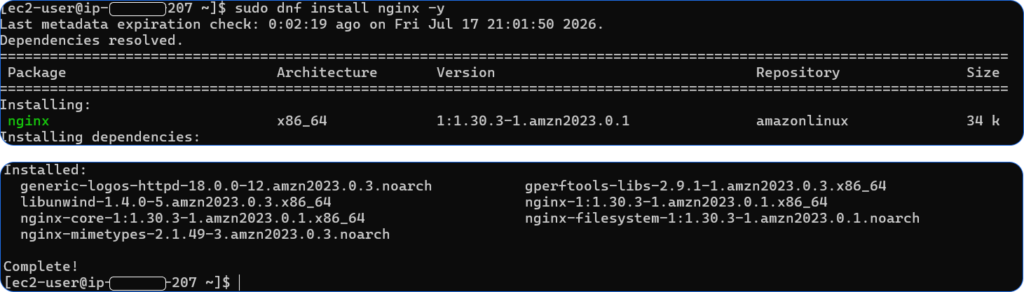
With SSH access working, I updated the server, installed Nginx, enabled the service to start automatically, and verified that it was running successfully.
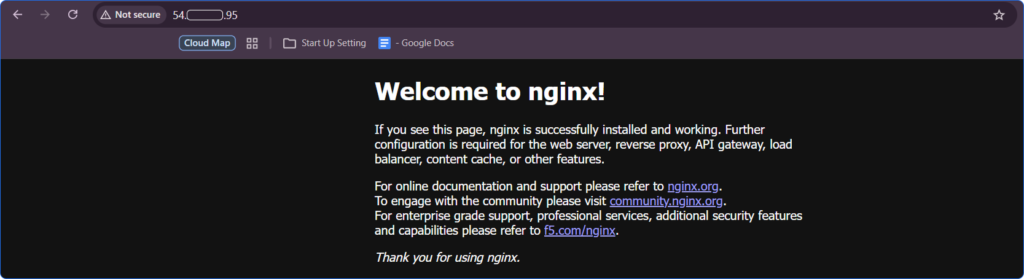
The default Nginx page confirmed that the complete networking path—from the Internet Gateway through to the EC2 instance—was functioning as expected.
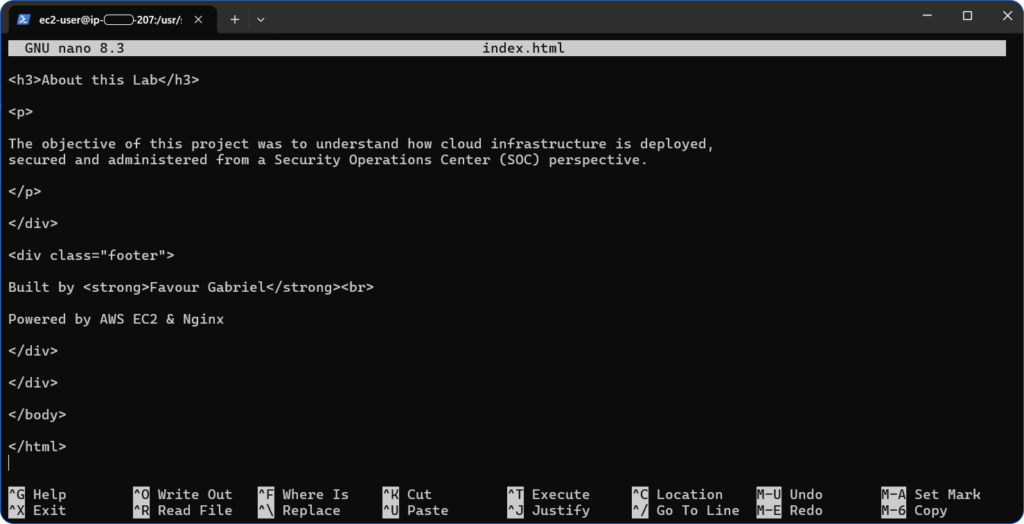
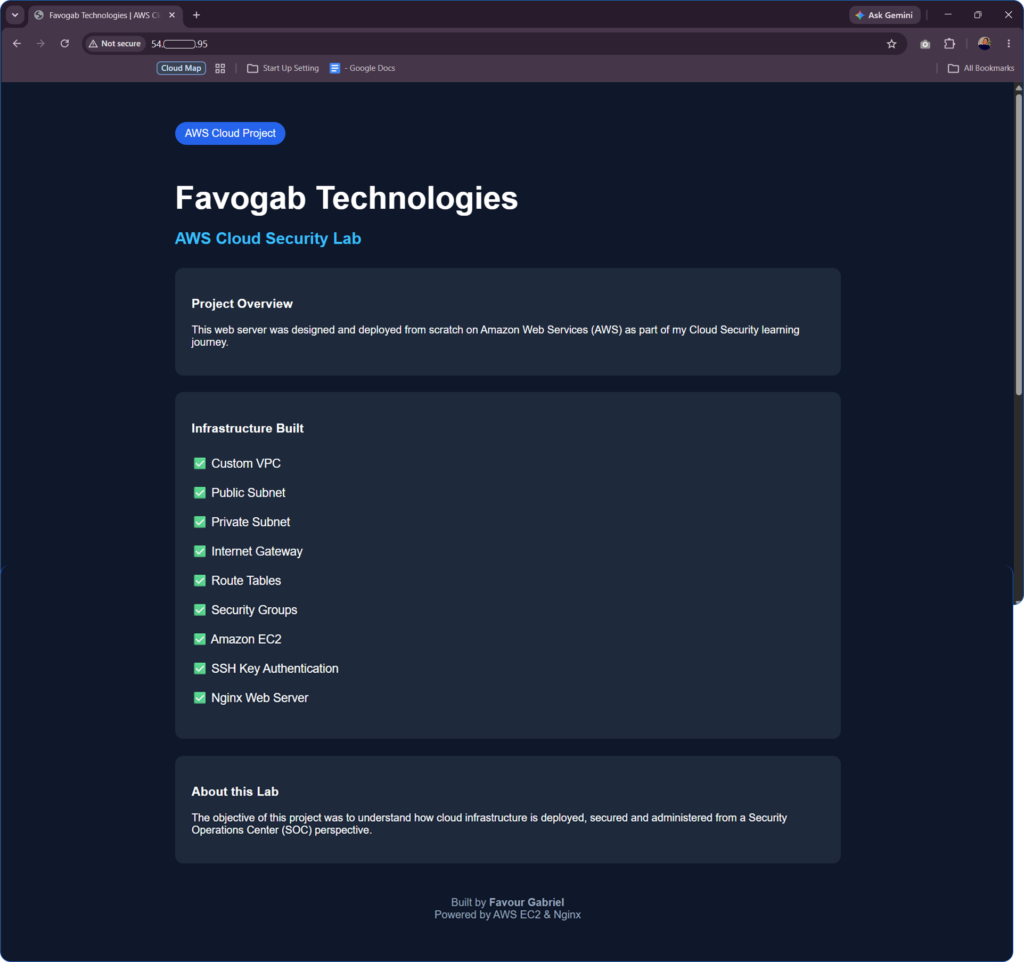
To personalise the project, I replaced the default landing page with a simple Favogab Technologies webpage.
Although this was only a small change, it transformed the project from a basic infrastructure deployment into a working cloud-hosted application.
Screenshot: Nginx service status.
Screenshot: Final Favogab webpage in the browser.
Security Review
One of the biggest takeaways from this project was that every AWS configuration has security implications.
Creating a public subnet makes Internet connectivity possible, but it also increases the attack surface. Allowing HTTP traffic is expected for a public website, but exposing SSH to the Internet without restrictions would unnecessarily increase the risk of brute-force attacks and automated scanning.
This project also reinforced the AWS Shared Responsibility Model. AWS secures the underlying cloud infrastructure, while I remain responsible for securing the operating system, network configuration, access controls, installed applications, and future monitoring of the environment.
Rather than viewing AWS services as isolated components, I began to understand how they work together to create—or weaken—a secure cloud environment.
Built and secured a custom AWS environment consisting of a VPC, public/private subnets, Internet Gateway, route table, Security Group, and an Amazon Linux EC2 instance hosting an Nginx web server.
Security Controls Implemented
Custom VPC deployment
Public and private network segmentation
Internet Gateway configuration
Dedicated public route table
Least privilege Security Group configuration
SSH restricted to a trusted administrator IP
Key-based SSH authentication
Operating system updates prior to deployment
Nginx configured and verified
Challenges
Browser-based EC2 Instance Connect failed during deployment. Verified network configuration and Security Group rules before successfully establishing SSH access using the AWS key pair. Root cause isolated to the connection method rather than the infrastructure itself.
Recommendations
The environment provides a solid foundation for learning AWS security. Future improvements should include IAM roles, CloudTrail logging, CloudWatch monitoring, HTTPS, and S3 security assessments.
Final Thoughts
This project achieved exactly what I set out to accomplish. Rather than learning AWS from a cloud engineering perspective, I built enough practical experience to understand how cloud infrastructure is deployed, secured, and investigated from the viewpoint of a Security Analyst.
More importantly, it gave me confidence in navigating AWS networking, understanding security boundaries, and troubleshooting cloud environments methodically instead of relying on default configurations.
This case study marks the beginning of my AWS Cloud Security journey. Building and securing an EC2 environment gave me a practical understanding of the cloud infrastructure that security analysts are expected to protect. In the next phase of this series, I will build on this foundation by exploring AWS Identity and Access Management (IAM), Amazon S3 security, AWS CloudTrail, and Amazon CloudWatch. Together, these services will help me develop hands-on experience with identity management, secure storage, audit logging, monitoring, and cloud visibility—the core cloud security skills required for modern SOC Analyst and Cloud Security roles.