

Project Overview
This project documents the design and implementation of a personal blue-team detection lab using Windows telemetry and cloud-native SIEM monitoring.
The goal of the lab was to simulate common attacker behaviors, detect them through telemetry, and investigate them through a centralized security monitoring platform.
The lab environment was built using:
- Windows 11 Virtual Machine
- Sysmon for endpoint telemetry
- Azure Monitor Agent
- Log Analytics Workspace
- Microsoft Sentinel for detection and investigation
The project simulates attacker techniques and demonstrates how a defender can detect and analyze them using SIEM queries and analytic rules.
Lab Architecture
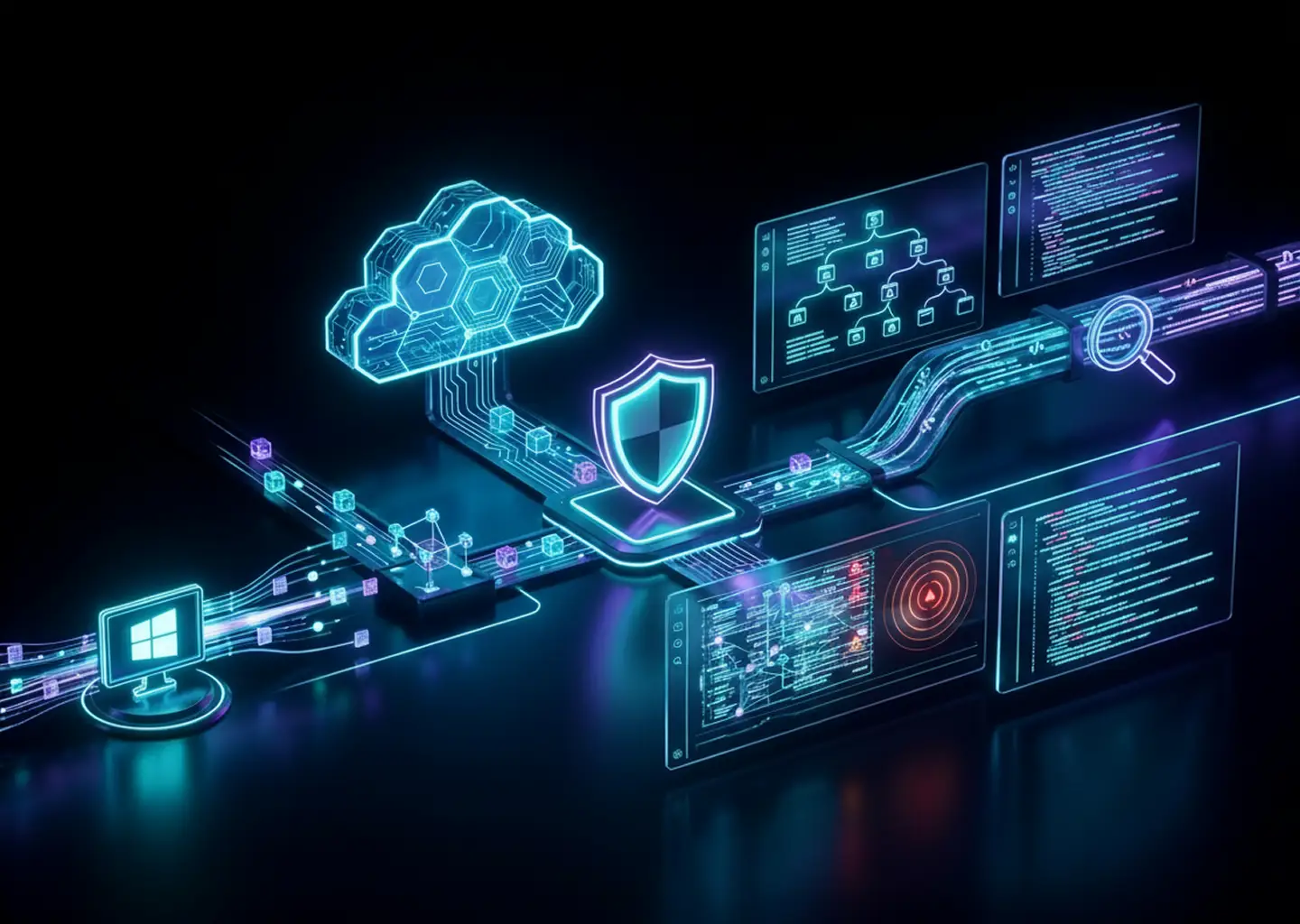
Detection Pipeline
Endpoint Activity
→ Sysmon Event Generation
→ Azure Monitor Agent
→ Log Analytics Workspace
→ Microsoft Sentinel
→ Detection Queries and Alerts
This architecture replicates the telemetry flow used in real enterprise SOC environments.
Lab 1 — Initial Access Simulation (PowerShell Abuse)
Attack Simulation
Simulated suspicious PowerShell execution using encoded commands and web downloads.
Example attacker behavior simulated:
Invoke-WebRequest https://example.com -OutFile test.htmlDetection Strategy
Monitor process creation events generated by Sysmon.
KQL Query:
Event
| where EventLog == "Microsoft-Windows-Sysmon/Operational"
| where EventID == 1
| where EventData contains "Invoke-WebRequest"
Investigation
Logs were analyzed inside Microsoft Sentinel to confirm:
- PowerShell process creation
- Command execution behavior
- User context and process origin
Lab 2 — Persistence Simulation
Attack Simulation
Simulated persistence through common attacker techniques such as registry modifications and scheduled tasks.
Detection Strategy
Identify persistence indicators in Sysmon telemetry.
Key signals monitored:
- Registry modification events
- Scheduled task creation
- Suspicious process launches
Investigation
Logs were analyzed to determine:
- Which process created the persistence mechanism
- Which user executed the action
- The timeline of events
Lab 3 — Lateral Movement Simulation
Attack Simulation
Simulated remote PowerShell execution using WinRM.
Example:
Invoke-Command -ComputerName localhost -ScriptBlock { Get-Process }Detection Strategy
Monitor PowerShell activity associated with remote execution.
Query used:
Event
| where EventLog == "Microsoft-Windows-Sysmon/Operational"
| where EventData contains "Invoke-Command"
Investigation
Events were analyzed to identify:
- Remote execution attempts
- Process relationships
- User accounts involved
Lab 4 — Suspicious File Download (Payload Delivery)
Attack Simulation
Simulated attacker downloading payloads using PowerShell.
Invoke-WebRequest https://example.com -OutFile payload.exe
Detection Strategy
Detect suspicious file download behavior in Sysmon logs.
Event
| where EventLog == "Microsoft-Windows-Sysmon/Operational"
| where EventData contains ".exe"
Investigation
Logs confirmed:
- File download activity
- Process execution path
- User account involved
Detection Engineering
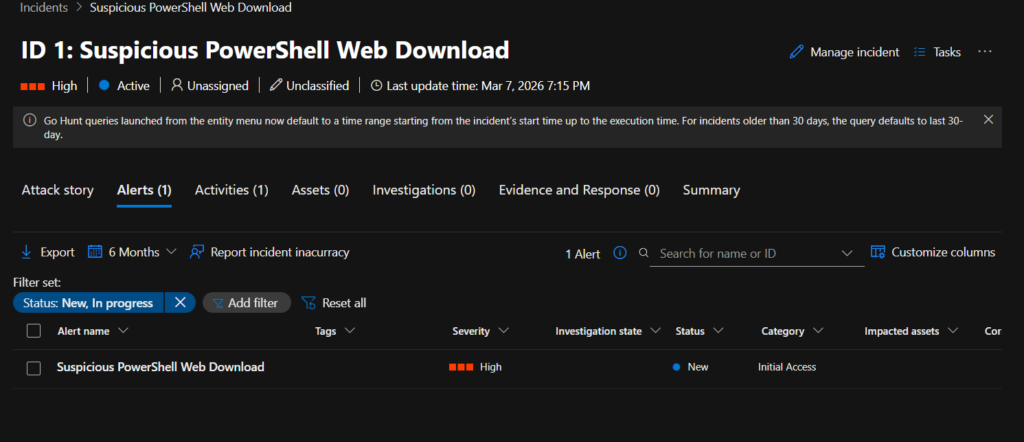
Once queries were validated, they were converted into automated Sentinel Analytic Rules.
The detection rule runs every 5 minutes and generates alerts when suspicious PowerShell activity is detected.
Alert Workflow:
Suspicious Activity
→ Sentinel Query Trigger
→ Alert Created
→ Incident Generated
This mimics real SOC monitoring pipelines.
Key Skills Demonstrated
- Endpoint telemetry collection
- SIEM query development (KQL)
- Attack simulation and detection
- Security event investigation
- Detection engineering
- Incident monitoring workflow
Outcome
This project demonstrates the ability to:
- build a functioning security monitoring pipeline
- simulate attacker techniques
- create detections for suspicious behavior
- investigate security events using a SIEM platform
The lab serves as a foundation for further blue-team experimentation including threat hunting and automated detection development.
What I Learned
A few things became very clear while building this lab.
First, telemetry matters more than tools. Once the logs are flowing correctly, everything else becomes much easier.
Second, detection engineering is largely about pattern recognition. The same types of behavior appear again and again in different attacks.
And finally, debugging the lab was actually the most educational part. Errors, missing fields, and schema quirks forced me to understand how the system actually works.
Why This Lab Matters
This project helped me understand the full defensive pipeline:
System activity → telemetry → SIEM ingestion → detection → investigation.
Instead of just reading about SOC workflows, I was able to experience them firsthand.
The lab now serves as a sandbox where I can simulate attacker behavior and build detections to stop it.
And honestly, that’s when cybersecurity started feeling less like theory and more like a real discipline.